
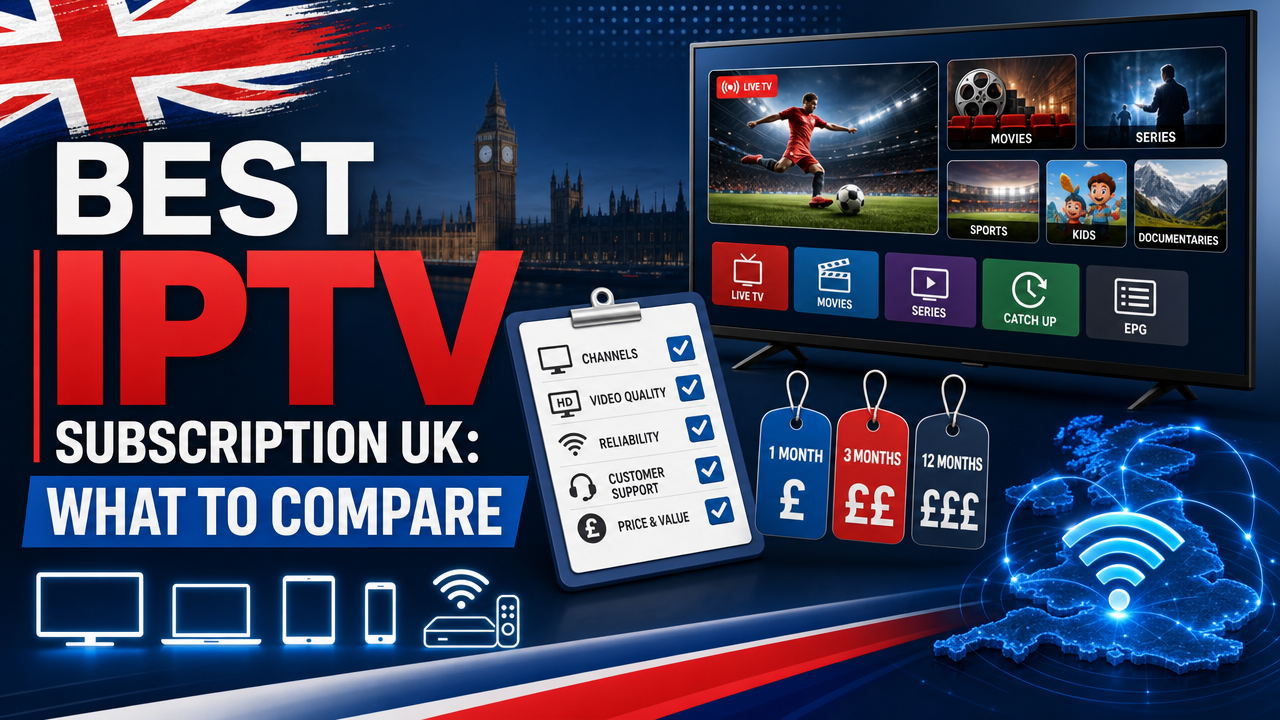
Choosing the best IPTV subscription UK viewers can rely on means looking past flashy adverts and focusing on what actually matters: stable streams, honest pricing, device compatibility, helpful support and a safe way to test the service first. An iptv subscription (Internet Protocol Television, or TV delivered over an internet connection) is now a popular option for households in London, Manchester, Glasgow and across Britain who want flexible viewing on a Firestick, Smart TV or Android TV box. This guide explains exactly what to compare before you pay, so you can choose a UK IPTV service with confidence.
What Makes the Best IPTV Subscription UK Viewers Should Consider?
There is no single “best” provider for everyone. The right iptv subscription depends on your devices, your broadband, the channels you watch and the level of support you expect. However, a strong UK IPTV service will share a few common qualities.
Look for a provider that offers transparent pricing in pounds sterling, a clear refund policy, a short free trial, UK-based support and apps that work on the devices you already own. The best services explain what is included rather than making vague promises about “unlimited everything”.
Key Areas to Compare
- Channel range and on-demand library
- Picture quality, including 4K (Ultra High Definition) where available
- Device and app compatibility
- Free trial or 24-hour test access
- Customer support channels and response time
- Pricing, plan length and refund terms
- Legal, rights and licensing wording
If you want to skip ahead, you can view Britivo IPTV subscription plans to see how a UK provider structures these options in practice.
Channel Selection: What Should Be Included?
Channels are usually the first thing UK buyers compare. A good IPTV provider UK households trust will publish a current channel list, including UK favourites such as BBC, ITV, Channel 4 and Channel 5 alongside international content, films and series.
Be cautious of vague claims like “every channel” or “all premium sports”. Channel availability, sport coverage, catch-up, replay and VOD (Video on Demand) content can vary by subscription, app, rights, licensing and availability. Always check the channel list before committing to a longer plan.
Sports and Live Events
Sport is often the deciding factor. UK viewers typically want reliable streams for football, rugby, cricket and major tournaments. When comparing IPTV sport UK options, focus on stability during peak match times rather than promises about specific premium broadcasters.
If a provider claims to include every fixture, every PPV (Pay-per-view) event or all premium sports channels, ask how rights and licensing are handled. UK Government guidance and FACT both warn that unauthorised access to premium TV content is illegal, so neutral, careful wording is a good sign of a responsible provider.
Devices and Apps: Compatibility Matters
The best IPTV subscription UK households can use is the one that works smoothly on the devices already in your living room. Most modern IPTV services support a wide range of hardware, but it’s worth checking before you pay.
Popular UK Devices
- Amazon Firestick — one of the most common choices for IPTV Firestick UK users
- Samsung Smart TV and LG Smart TV — typically use apps like Smart IPTV or Net IPTV
- Apple TV — supports IPTV Smarters Pro and similar apps
- Android TV and Google TV boxes — work well with TiviMate and IPTV Smarters Pro
- IPTV Box UK — dedicated set-top boxes designed for streaming
- Mobile, tablet and PC — useful for second-screen viewing
Common IPTV Apps
- IPTV Smarters Pro — popular all-rounder with a clean interface
- TiviMate — favoured by Android TV users for its EPG (electronic programme guide) layout
- Smart IPTV — widely used on Samsung and LG Smart TVs
- Net IPTV — another Smart TV option
- VLC — basic playback for M3U (a playlist link or file used by some IPTV apps) testing
Before subscribing, check whether the provider supports your preferred app and offers both M3U and Xtream Codes (a login format supported by many IPTV apps) connections. This flexibility makes setup easier across multiple devices.
Picture Quality and Stability
Picture quality matters, but so does consistency. A 4K stream is only valuable if your broadband can deliver it without buffering. Compare providers on their range of stream qualities — SD, HD, Full HD and 4K (UHD) where available — and how stable those streams remain during peak hours.
Broadband Considerations
Your home broadband plays a huge role in IPTV performance. Most UK IPTV viewers stream successfully with services from BT, Virgin Media, Sky Broadband, TalkTalk, EE, Vodafone or Plusnet.
- HD streams typically need around 10–15 Mbps per device
- 4K streams usually need 25 Mbps or more
- Ethernet cables provide the most reliable connection
- 5GHz Wi-Fi is preferred over 2.4GHz for streaming
If you’re in a busy household in Birmingham, Leeds or Cardiff with several devices streaming at once, prioritise broadband stability over raw speed.
Free Trials: Why a 24-Hour Test Matters
Never commit to a long contract without testing the service first. The best IPTV subscription UK providers offer a short free trial — often 24 hours — so you can check real performance on your own device and connection.
During the trial, test these specific things:
- Setup speed — how quickly the service activates
- Channel loading time when you switch streams
- EPG accuracy and how far ahead it shows
- Picture quality during peak evening hours
- Buffering frequency, especially on live sport
- VOD library navigation
- Support response time via WhatsApp or email
You can start a free 24-hour IPTV test to put a service through its paces before paying.
Pricing, Plans and Refund Policy
Cheap IPTV subscription UK offers are tempting, but extremely low prices can sometimes mean unreliable streams or poor support. Compare plans based on value rather than headline price alone.
Typical Plan Types
- Monthly — flexible, ideal for first-time users
- Quarterly — small discount compared with monthly
- Annual — best long-term value
- Family or multi-device — supports several connections at once
Look for IPTV without contract pressure — you should be able to cancel anytime. Always check the refund policy in writing before paying. A clear, transparent refund window is a strong indicator of a trustworthy provider.
Make sure all pricing is in pounds (£), not dollars, euros or other currencies. If a UK provider lists prices in foreign currency, that’s a red flag.
Customer Support: UK-Based and Responsive
Support quality separates good providers from great ones. When something goes wrong — and occasionally it will — you need fast, helpful answers from a real person who understands UK devices and broadband.
What to Look For
- WhatsApp support for quick responses
- Clear opening hours, ideally extended or 24/7
- Setup guides for Firestick, Smart TV and other devices
- An easy way to contact Britivo support or your chosen provider
- A detailed IPTV FAQ covering common issues
IPTV WhatsApp support has become a UK standard because it’s quick, informal and easy to share screenshots through. Test the support channel during your trial — response time is a strong predictor of long-term experience.
Is IPTV Legal in the UK?
IPTV is a delivery technology and is not automatically illegal. What matters is whether the content is supplied with the correct rights, permissions and licensing. UK Government guidance on illicit streaming devices makes clear that unauthorised access to subscription content is against the law.
FACT and City of London Police’s PIPCU unit regularly take enforcement action against illegal IPTV operators in the UK. Ofcom’s Media Nations reports also show that UK viewing is shifting online, which makes choosing a responsible provider more important than ever.
Use IPTV services and content only in line with UK law, copyright rules, broadcasting rights and the provider’s terms. Before subscribing, check the channel list, terms of service, refund policy, support options and information about content availability.
Red Flags to Avoid
- Claims of “100% legal IPTV” without licensing proof
- Promises to “bypass blocks” or “hide activity”
- “Fully loaded” Firestick offers
- Guarantees of every premium channel or PPV event
- No company details, refund policy or terms of service
- Payment only in cryptocurrency or foreign currency
Comparing IPTV With Sky, Virgin Media, NOW and Freeview
UK viewers often weigh IPTV against traditional providers. Each has strengths and trade-offs.
- Sky and Virgin Media — comprehensive packages with strong sport rights, but longer contracts and higher monthly costs
- NOW — flexible monthly passes, good for premium content without hardware
- Freeview and Freely — free over-the-air or streaming options with core UK channels
- Netflix, Prime Video, Disney+ — on-demand films and series only, no live TV
- IPTV — flexible, device-friendly, often with broader channel selection and shorter commitments
Many UK households now combine services — for example, Freeview for everyday viewing plus an iptv subscription for additional channels and on-demand content.
Why IPTV Buffers — and How to Fix It
Buffering is the most common IPTV complaint. The cause is usually one of three things: your broadband, your device or the provider’s server. Run through this checklist before blaming the service.
Quick Buffering Fixes
- Switch from Wi-Fi to Ethernet where possible
- Use 5GHz Wi-Fi instead of 2.4GHz
- Restart your router and streaming device
- Close background apps on Firestick or Smart TV
- Lower the stream quality temporarily to test
- Run a speed test during the time you usually watch
- Contact support to check whether the issue is server-side
If buffering only happens during live sport at peak times, the provider’s server capacity may be the issue. This is exactly the kind of thing a 24-hour IPTV test reveals quickly.
IPTV for Specific UK Settings
Holiday Homes and Second Properties
IPTV for holiday homes UK is increasingly popular. A flexible plan lets you watch familiar UK content while away, provided the broadband at the property is stable enough.
Pubs and Hospitality
IPTV for pubs UK is a sensitive area. Commercial premises showing sport or broadcast content need the correct commercial licences. Always check rights and licensing with the provider and the relevant rights holders before using any service in a business setting.
Family Households
If multiple people watch at once, look for a family plan supporting several simultaneous connections. This is more cost-effective than buying separate subscriptions for each device.
Setup Basics: What to Expect
A good IPTV provider makes setup straightforward. Most services will send activation details by email or WhatsApp shortly after payment, along with links to the right apps for your device.
Typical Setup Steps
- Install the recommended app (IPTV Smarters Pro, TiviMate, Smart IPTV or similar)
- Enter your M3U URL or Xtream Codes login
- Wait for the channel list and EPG to load
- Test a few live channels and VOD titles
- Adjust picture quality settings if needed
For a deeper walkthrough, the Britivo IPTV subscription guide UK covers device-specific setup in more detail.
Do You Need a VPN for IPTV in the UK?
A VPN (Virtual Private Network) is sometimes mentioned in IPTV discussions, but it’s not a workaround for rights or licensing restrictions. Use IPTV services in line with UK law and the provider’s terms.
If you simply want privacy on public Wi-Fi or to secure your connection generally, a reputable VPN is a personal choice — but it should not be used to bypass geo-blocks or access content you’re not entitled to.
Final Comparison Checklist
Before you pay for any iptv subscription, run through this short checklist:
- ✅ Prices listed clearly in £
- ✅ Free trial or 24-hour test available
- ✅ Clear refund policy in writing
- ✅ UK-based support, ideally via WhatsApp
- ✅ Supports your devices (Firestick, Smart TV, Android TV, Apple TV)
- ✅ Works with your preferred app
- ✅ Published channel list
- ✅ Neutral, careful language about rights and licensing
- ✅ Terms of service and refund policy linked on the site
- ✅ Real company contact details
Learn more about Britivo and how a UK IPTV service approaches these standards in practice.
Frequently Asked Questions
Is IPTV legal in the UK?
IPTV is a technology and is not automatically illegal. The key issue is whether the content is supplied with the correct rights, licensing and permissions. Before subscribing, check the provider’s terms, channel list, refund policy and content availability information. For official guidance, see GOV.UK.
What internet speed do I need for IPTV?
For HD streams, around 10–15 Mbps is usually enough per device. For 4K, aim for 25 Mbps or more. Ethernet or strong 5GHz Wi-Fi provides the most stable playback, especially on Firestick, Smart TV or Android TV.
Can I test IPTV before buying?
Yes. Britivo currently promotes a free 24-hour test. Use the trial to check setup, EPG, picture quality, channel availability, buffering and support response on your own device and broadband before choosing a longer plan.
Which IPTV app should I use?
It depends on your device. IPTV Smarters Pro works on most platforms, TiviMate is excellent on Android TV, and Smart IPTV or Net IPTV are common choices on Samsung and LG Smart TVs. Your provider should recommend the right app and provide setup instructions.
What’s the difference between M3U and Xtream Codes?
M3U is a playlist link or file containing your channels. Xtream Codes is a username-and-password login format. Both achieve the same result, but Xtream Codes is easier to enter and update across devices. Most providers offer both options.
Can I use IPTV on multiple devices?
Yes, but check how many simultaneous connections your plan includes. Family or multi-device plans typically allow several screens at once, which is ideal for busy households.
Conclusion
Finding the best IPTV subscription UK viewers can trust comes down to comparing what really matters: channel range, device compatibility, stable playback, transparent pricing in £, a free trial, clear refund terms and responsive UK support. Take time to test before you commit, check the terms, and choose a provider that uses careful, honest language about rights and content availability. Ready to compare? Start a free 24-hour IPTV test with Britivo, or visit the homepage to explore plans and setup help.