
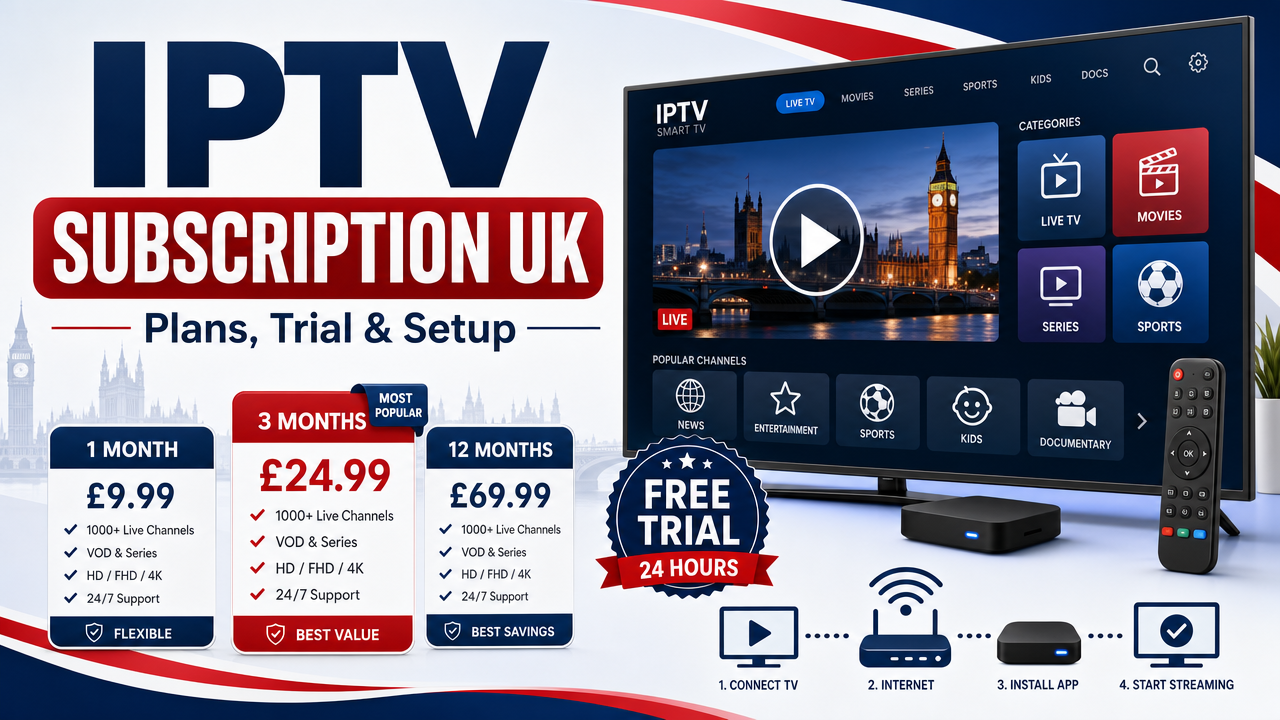
An iptv subscription gives UK viewers an easy way to stream live TV, films, series and sport over a standard broadband connection, without needing satellite dishes or extra cable hardware. Whether you watch on a Firestick in Manchester, a Samsung Smart TV in London or an Android TV box in Glasgow, the priorities are stable playback, fair pricing, simple setup and trustworthy support. This guide explains how IPTV works, which plans suit different UK households, how to start a 24-hour free test, and how to set up your device safely on BT, Virgin Media or Sky Broadband.
What Is an IPTV Subscription?
IPTV stands for Internet Protocol Television. It simply means TV delivered over an internet connection rather than through a satellite dish or aerial. With an iptv subscription, you log in to a compatible app on your device and stream live channels, on-demand films and series, and catch-up content.
Unlike traditional pay TV, IPTV is flexible. You can watch on a Smart TV in the living room, a Firestick in the bedroom, an Android TV box in a holiday home or a mobile device while travelling within the UK.
Key features most UK viewers expect
- Live channels with an electronic programme guide (EPG)
- Video on Demand (VOD) for films and box sets
- 4K (Ultra High Definition) where available
- Catch-up and replay where supported
- Support for multiple devices in one household
- UK-based support, ideally via WhatsApp or email
Is IPTV Legal in the UK?
IPTV is a delivery technology and is not automatically illegal. What matters is whether the content is supplied with the correct rights, permissions and licensing. The UK Government and FACT (Federation Against Copyright Theft) have published clear warnings about illicit streaming devices and unauthorised access to premium TV content.
Before choosing any provider, check the channel list, terms of service, refund policy and content availability information. You can read official guidance from GOV.UK on illicit streaming devices and review UK viewing trends from Ofcom.
Use IPTV services and content only in line with UK law, copyright rules, broadcasting rights and the provider’s terms.
Britivo IPTV Subscription Plans for UK Viewers
Britivo offers flexible IPTV subscription UK plans designed for different households and budgets. From short monthly plans for trial users to longer annual options for families, the aim is to keep pricing clear in pounds sterling, with no long contract.
Typical plan options
- Monthly plan — ideal if you want flexibility and the option to cancel anytime
- Quarterly plan — balances cost and commitment, popular with regular viewers
- Annual plan — best value per month, suited to families who watch daily
- Family/multi-device plan — supports more than one screen in the same home
Every plan includes access to a shared content library, support for popular IPTV apps and UK customer support. You can view Britivo IPTV subscription plans for current pricing and features.
What’s included with each subscription
- Live TV channels and EPG
- VOD library of films and series
- 4K streams where available
- Support for Firestick, Smart TV, Android TV, Apple TV and IPTV boxes
- WhatsApp support during UK hours
- Setup assistance for new users
Channel availability, sport coverage, catch-up, replay and VOD content can vary by subscription, app, rights, licensing and availability. Always check the current channel list before subscribing.
How to Start a 24-Hour IPTV Free Trial
Testing before you buy is the safest way to choose any IPTV service UK households consider. Britivo offers a free 24-hour test so you can check setup, EPG, picture quality, channel availability and stability on your own device and broadband.
Steps to start your free test
- Visit the free trial page
- Send your details via WhatsApp or the contact form
- Receive your trial login (M3U link or Xtream Codes)
- Install a compatible IPTV app on your device
- Enter the details and start watching within minutes
Use the trial to test live channels at peak times, browse the VOD library, check the EPG and try catch-up if available. If everything looks good, you can choose a paid plan with confidence.
Setting Up IPTV on Your Devices
One of the strengths of any good iptv subscription is broad device compatibility. Below are quick setup notes for the most popular devices used by British viewers.
IPTV on Amazon Firestick
The Amazon Firestick is one of the most popular IPTV devices in the UK. To set up:
- From the Firestick home screen, search for an IPTV player such as IPTV Smarters Pro
- Install the app from the Amazon Appstore
- Open the app and choose Xtream Codes API or M3U URL login
- Enter the details supplied by Britivo
- Wait for channels and EPG to load
For best results, use 5GHz Wi-Fi or place the Firestick close to your router. If you have a slower connection, an Ethernet adapter can help.
IPTV on Samsung and LG Smart TVs
Most modern Samsung and LG Smart TVs support IPTV apps such as Smart IPTV, Net IPTV or similar players from their respective stores. After installing the app, you upload your M3U playlist or enter your login on the app’s web portal, and the channels appear on your TV.
Always check official support pages such as Samsung UK support for app installation steps specific to your TV model.
IPTV on Android TV and Google TV
Android TV boxes, Nvidia Shield, Chromecast with Google TV and similar devices are excellent for IPTV. TiviMate is a popular choice on Android TV thanks to its clean interface and strong EPG. IPTV Smarters Pro and VLC are also widely used.
IPTV on Apple TV
Apple TV users typically use apps such as IPTV Smarters Pro or similar from the App Store. Login uses either an M3U URL or Xtream Codes credentials provided after subscription.
IPTV on Android phones, tablets and PCs
For phones, tablets, Windows PCs and Macs, free players such as VLC can be used with an M3U playlist. Dedicated IPTV apps usually offer a better experience, with proper EPG and category browsing.
Choosing the Right IPTV App
Your IPTV app affects everyday usability as much as the subscription itself. Here are the most common options used by British viewers.
- IPTV Smarters Pro — works on Firestick, Android, Apple TV and Smart TV; supports Xtream Codes and M3U
- TiviMate — popular on Android TV and Firestick; strong EPG and recordings
- Smart IPTV — common on Samsung and LG Smart TVs
- Net IPTV — alternative for Samsung, LG and other Smart TVs
- VLC — free, basic playback for M3U playlists on most platforms
What are M3U and Xtream Codes?
M3U is a playlist link or file used by some IPTV apps to load channels. Xtream Codes is a login format where you enter a server URL, username and password instead of a playlist link. Most modern IPTV apps support both, and Britivo can supply either method depending on your device.
Broadband and Network Tips for UK Homes
Stable IPTV needs a stable internet connection. Most UK fibre broadband packages from BT, Virgin Media, Sky Broadband, TalkTalk, EE, Vodafone or Plusnet are more than capable, but small setup tweaks make a big difference.
Recommended speeds
- SD streaming — around 5 Mbps
- HD streaming — around 10 Mbps
- 4K streaming — around 25 Mbps or higher, where available
Reduce buffering with simple steps
- Use Ethernet where possible, especially for 4K
- Use 5GHz Wi-Fi for Firestick and Smart TVs
- Keep your router in a central position
- Close apps running in the background
- Restart the router weekly
- Update your IPTV app to the latest version
How IPTV Compares with Sky, Virgin Media, NOW and Freeview
Traditional pay TV providers such as Sky, Virgin Media and NOW offer well-known packages with their own rights, hardware and apps. Freeview and Freely provide free-to-air channels for UK homes. IPTV is a different delivery method that runs over your existing broadband.
Many UK households mix services — for example, Freeview for BBC, ITV, Channel 4 and Channel 5, plus a Britivo IPTV UK subscription for additional live TV and a VOD library, plus streaming apps such as Netflix, Disney+ or Prime Video for premium originals.
Always review terms, licensing and content availability for each service before committing.
Who Is an IPTV Subscription Best For?
- Households that want a flexible alternative to long pay-TV contracts
- Viewers who use a Firestick, Smart TV, Android box or Apple TV
- Families with multiple devices across the home
- People who watch a mix of live TV, films and series
- UK expats or holiday-home users who want familiar UK content within the rules
If you run a public venue such as a pub, additional commercial licensing usually applies. Always confirm rights and licensing before showing content in any public setting.
What to Check Before You Subscribe
A cheap IPTV subscription UK option might look tempting, but trust and transparency matter more than the lowest price. Use this checklist before paying.
- Is there a free trial so you can test on your own device?
- Are prices clear in £ with no hidden fees?
- Is the channel list visible before purchase?
- Is the refund policy clearly stated?
- Is UK support available, ideally on WhatsApp?
- Are setup guides available for your device?
- Does the provider explain content rights and availability honestly?
You can contact Britivo support if you need help comparing plans, or read the IPTV FAQ for quick answers to common questions.
Step-by-Step: Getting Started with Britivo
- Read about the service on the about us page
- Start a free 24-hour IPTV test to check your device and broadband
- Browse the channel list to see what’s available
- Choose a plan on the subscription page
- Receive your login by email or WhatsApp
- Install your preferred IPTV app and log in
- Contact support if you need help with setup
For more tips, guides and updates, visit the Britivo blog.
Frequently Asked Questions
Is IPTV legal in the UK?
IPTV is a technology and is not automatically illegal. The key issue is whether the content is supplied with the correct rights, licensing and permissions. Before subscribing, check the provider’s terms, channel list, refund policy and content availability information. Use IPTV only in line with UK law and the provider’s terms.
What internet speed do I need for IPTV?
For stable playback, you need a reliable broadband connection. HD typically needs around 10 Mbps, and 4K usually needs 25 Mbps or more where available. For best results, use Ethernet or strong 5GHz Wi-Fi, especially on Firestick, Smart TV or Android TV devices.
Does IPTV work with BT, Virgin Media or Sky Broadband?
Yes. IPTV works with any reliable UK broadband connection, including BT, Virgin Media, Sky Broadband, TalkTalk, EE, Vodafone and Plusnet. The quality of your Wi-Fi and router placement matters more than the brand of the provider.
Can I test IPTV before buying?
Yes. Britivo offers a free 24-hour IPTV test. Use the trial to check setup, EPG, picture quality, channel availability, buffering and support on your own device before choosing a longer plan.
Which IPTV app should I use?
It depends on your device. IPTV Smarters Pro is widely used on Firestick, Android and Apple TV. TiviMate is popular on Android TV. Smart IPTV and Net IPTV are common on Samsung and LG TVs. VLC works as a basic player on most platforms.
Can I use IPTV on multiple devices?
Most subscriptions allow one or more connections at a time, depending on the plan. Family plans typically support multiple screens in the same household. Check the plan details before subscribing.
Conclusion
A well-chosen iptv subscription can give UK viewers a flexible, modern way to enjoy live TV, films, series and sport on the devices they already own. Focus on stable playback, clear pricing in £, transparent terms, UK support and a free trial so you can test before committing. Britivo combines these essentials with setup help, WhatsApp support and plans for monthly, quarterly, annual and family use. Ready to start? Start a free 24-hour IPTV test or visit the Britivo homepage to compare plans today.