
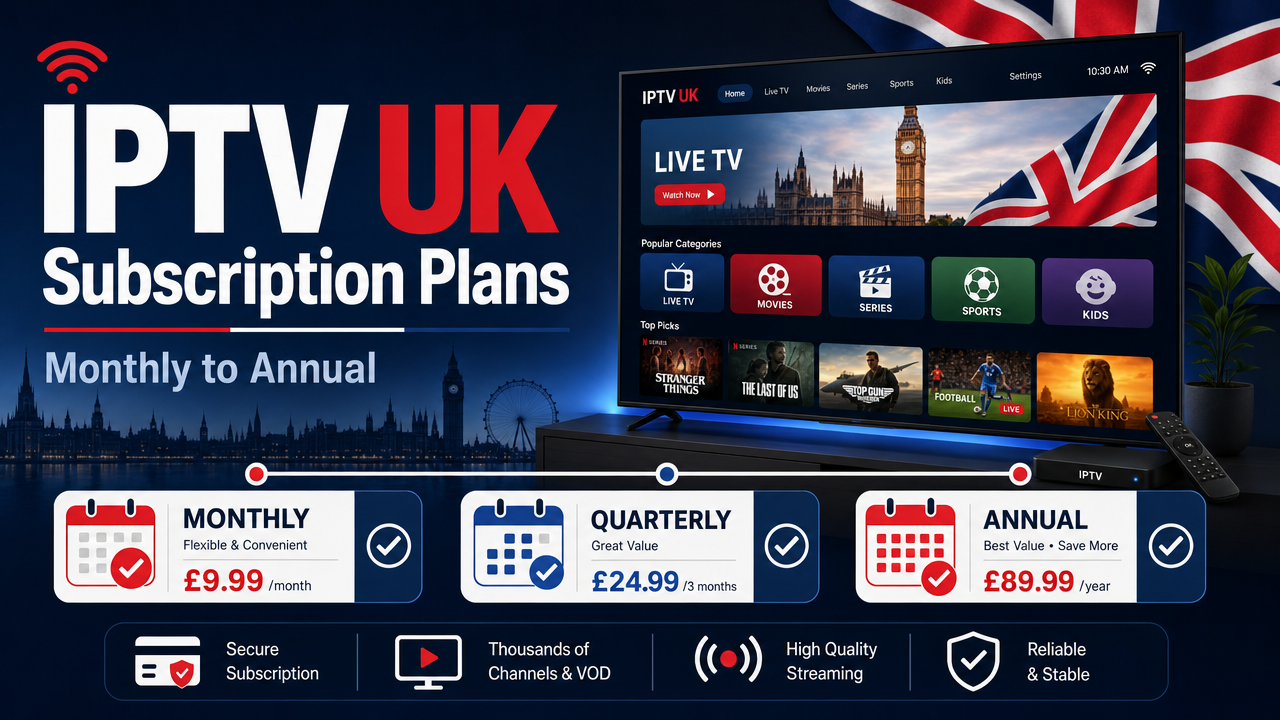
Choosing the right IPTV UK subscription plans shouldn’t feel like signing your life away. Whether you’re streaming on a Firestick in Manchester, a Samsung Smart TV in London or an Android TV box in Glasgow, the most important things are flexible pricing, simple setup, stable playback and the freedom to cancel without penalty. This guide walks through monthly, quarterly, annual and family options, what each plan typically includes, how to test before you commit, and how to match an iptv subscription to your household, broadband and devices.
What an IPTV UK Subscription Actually Includes
Before comparing prices, it helps to understand what you’re paying for. An iptv subscription gives you access to TV content delivered through your internet connection rather than a satellite dish or cable line. IPTV stands for Internet Protocol Television, and it works on devices you probably already own.
A typical UK plan from Britivo includes:
- A wide library of live TV channels across entertainment, news, sport, kids and international categories
- Video on Demand (VOD) — films and box sets you can play any time
- An electronic programme guide (EPG) so you can see what’s on now and next
- Catch-up and replay options where available
- 4K or Ultra High Definition (UHD) streams where the source supports it
- Multi-screen support for households with several TVs and devices
- WhatsApp support for setup and account questions
Content availability, sport coverage and catch-up features can vary by app, device, rights and licensing, so it’s always worth checking the current channel list before subscribing.
Monthly, Quarterly, Annual or Family: Which Plan Fits You?
UK viewers have very different watching habits. A student in Leeds renting for the academic year doesn’t need the same plan as a family home in Cardiff with four TVs. Britivo offers IPTV UK subscription plans across short and long durations so you can match the term to your situation.
Monthly plan: maximum flexibility
A monthly iptv subscription is ideal if you:
- Want to try IPTV properly after the free trial
- Only need TV for a short period, such as during football season
- Are renting short-term in London, Birmingham or Edinburgh
- Prefer to pay as you go with no long contract
The monthly option costs the most per month but gives you complete freedom. You can cancel anytime, change plan, or upgrade to a longer term once you’re confident the service works on your devices.
Quarterly plan: balance of price and commitment
A three-month plan is a popular middle ground. You pay less per month than monthly, but you’re not locked in for a full year. This works well for:
- Households testing IPTV alongside Freeview, Sky or NOW before fully switching
- Holiday homes used seasonally
- Viewers who want to see how the service handles peak live sport periods
Annual plan: best value for steady viewers
An annual iptv subscription is usually the cheapest per month. If you watch TV most evenings, follow a full football season, and want a single payment to cover the year, this is normally the best value. It suits long-term residents and families who already know IPTV works smoothly on their Firestick, Samsung Smart TV, LG TV, Apple TV or Android TV.
Family or multi-screen plan: more devices, one bill
A family plan supports more simultaneous connections, so different people can watch different content at the same time — kids on the bedroom TV, sport in the living room, a film on a tablet. This avoids arguments and means you don’t need multiple separate subscriptions for the same household.
You can view the current pricing and inclusions on the Britivo subscription page, with all amounts shown in pounds sterling.
How to Choose Between IPTV UK Subscription Plans
The right plan depends on five practical factors. Run through this checklist before paying for anything longer than a month.
1. How much you actually watch
If the TV is on every evening, an annual plan pays for itself quickly. If you only watch a few hours a week, monthly or quarterly gives you flexibility without overspending.
2. How many devices and viewers
Single viewer on one Firestick? A standard plan is enough. Family of four with multiple Smart TVs and tablets? A multi-screen or family plan is better value than buying several single subscriptions.
3. Your broadband
IPTV needs a stable connection. UK providers such as BT, Virgin Media, Sky Broadband, TalkTalk, EE, Vodafone and Plusnet all work well, provided your speed is consistent. HD streams typically need around 10 Mbps per device, while 4K streams need more. Use Ethernet where possible, or strong 5GHz Wi-Fi.
4. Your devices and apps
Make sure your TV or streaming box supports a compatible app. Common choices include IPTV Smarters Pro, TiviMate, Smart IPTV, Net IPTV and VLC. Most support M3U playlists and Xtream Codes logins, which are the standard formats used by IPTV providers.
5. Refund and cancellation terms
Always read the terms before subscribing. A clear FAQ and a transparent refund policy are good signs. Britivo offers a refund policy and lets you cancel without long contracts, so you’re not stuck if your circumstances change.
Start With the Free 24-Hour Test
The smartest first step isn’t choosing a plan — it’s testing the service on your own setup. The same IPTV provider can perform differently in a flat in central Belfast and a detached house in rural Wales because of broadband, Wi-Fi strength, router quality and device specs.
Britivo provides a free 24-hour IPTV test so you can check:
- Picture quality on your specific TV or streaming stick
- Buffering during live content, especially evening peak times
- EPG accuracy for the channels you watch most
- VOD library navigation
- How quickly your chosen app loads streams
- Response time from WhatsApp support
Once you’ve confirmed it works smoothly, you can move to a monthly plan first, then upgrade to quarterly or annual once you’re settled.
Devices Supported by Britivo IPTV Plans
One advantage of IPTV over traditional cable is that you don’t need a special box. Most UK homes already own at least one compatible device.
Amazon Firestick
The Amazon Fire TV Stick is the most popular IPTV device in Britain. It’s affordable, plugs into any HDMI TV and supports apps like IPTV Smarters Pro and TiviMate. A 4K Firestick is recommended if you want UHD streams.
Samsung and LG Smart TVs
Samsung Smart TVs (Tizen) and LG TVs (webOS) support apps such as Smart IPTV and Net IPTV. No extra hardware is needed — you install the app directly from your TV’s app store.
Android TV and Google TV
Boxes running Android TV or Google TV (including Chromecast with Google TV, Nvidia Shield and many smart TVs from Sony, Philips and TCL) work with most IPTV apps from the Play Store.
Apple TV
The Apple TV 4K is a strong choice for households already in the Apple ecosystem. IPTV Smarters and similar apps are available through the App Store.
Phones, tablets and computers
iOS, Android, Windows and Mac all support IPTV through apps like VLC or dedicated IPTV apps, useful when you’re travelling within the UK or watching in another room.
For a deeper walkthrough on choosing apps and configuring devices, see the Britivo IPTV subscription guide for the UK.
Broadband Tips for IPTV in the UK
Buffering is almost always a network issue, not a fault of the iptv subscription itself. A few quick wins:
- Use Ethernet where possible. A wired connection to your Firestick or Smart TV is far more stable than Wi-Fi.
- Use 5GHz Wi-Fi, not 2.4GHz. The 5GHz band is faster and less congested in built-up areas like central Manchester or Liverpool.
- Place your router sensibly. Avoid putting it inside a TV cabinet or behind metal objects.
- Restart your router weekly. This clears small issues that build up over time.
- Check your speed at peak times. Run a speed test around 8pm, when UK demand peaks, not at midday.
If your line struggles at peak time across multiple services (not just IPTV), speak to your ISP about an upgrade or a router replacement.
What About Sport, Premium Channels and Catch-Up?
UK viewers often ask about football, boxing and premium content. Channel availability, sport coverage, pay-per-view (PPV) and catch-up content can vary by app, plan, rights, licensing and time of year. Always check the current channel list and terms before subscribing, and use the free trial to confirm the channels you care about are present and stable.
It’s also sensible to keep expectations realistic. IPTV is a delivery technology — what matters is whether the content is supplied with the correct rights and permissions. Use IPTV services and content only in line with UK law, copyright rules, broadcasting rights and the provider’s terms.
Is IPTV Legal in the UK?
This is one of the most searched questions, and the honest answer is: it depends on the content, not the technology.
IPTV itself is a legitimate way of delivering television. Major UK broadcasters and platforms — including BBC iPlayer, ITVX, Channel 4, Channel 5, Sky, NOW and Freely — all use internet-based delivery. The issue is whether a specific provider has licensed the content it offers.
The UK Government’s guidance on protecting yourself from piracy warns that illicit streaming devices and unauthorised access to premium TV are illegal. Before subscribing to any service, check the provider’s terms, refund policy, support options and content information. If something looks too good to be true, it usually is.
Payment, Activation and Support
Britivo accepts payment in pounds sterling and confirms account details after purchase. Activation is typically quick, and setup help is available through WhatsApp, which suits UK users who prefer messaging over phone calls or email tickets.
Good things to look for in any IPTV provider:
- Clear pricing in £, with no hidden fees
- A free trial before paid plans
- A refund policy you can actually read
- Responsive UK-based support
- No requirement to share more personal information than necessary
- Honest claims rather than exaggerated marketing
If you have questions before subscribing, contact Britivo support first — a quick conversation often answers more than reading a dozen reviews.
Comparing IPTV With Sky, Virgin Media and NOW
Many UK households consider IPTV alongside traditional pay-TV. Here’s a fair comparison.
Hardware and installation
Sky and Virgin Media typically require an engineer visit, a box and a contract. IPTV uses devices you already own (Firestick, Smart TV, Android box) with no engineer required.
Contract length
Sky and Virgin Media contracts are often 18 or 24 months. IPTV from Britivo offers monthly options with no long contract — useful if you move home or only want TV seasonally.
Channel range
Sky and Virgin offer curated, fully licensed channel packages. IPTV providers package content differently. Always check the channel list and rights information before assuming a specific channel is included.
Pricing
Annual IPTV plans typically work out cheaper per month than premium Sky or Virgin bundles, but features differ. NOW offers contract-free streaming and is closer in style to IPTV, but with a more limited content range.
For a broader comparison, see the best IPTV subscription UK guide.
IPTV for Holiday Homes, Second Homes and Travelling Within the UK
Flexible IPTV UK subscription plans are particularly useful for:
- Holiday lets in Cornwall, the Lake District or the Scottish Highlands where installing satellite kit is impractical
- Second homes used only part of the year — pause or switch to a shorter plan when you’re not there
- Caravans and motorhomes with mobile broadband or 4G/5G routers
- Students moving between term-time and family accommodation
One subscription with multi-device support can serve more than one property if used in line with the provider’s terms.
Frequently Asked Questions
Is IPTV legal in the UK?
IPTV is a technology and is not automatically illegal. The key issue is whether the content is supplied with the correct rights, licensing and permissions. Before subscribing, check the provider’s terms, channel list, refund policy and content availability information, and use IPTV only in line with UK law.
What internet speed do I need for IPTV?
For stable playback, you need a reliable broadband connection. HD streams generally need around 10 Mbps per device, while 4K needs more. Use Ethernet or strong 5GHz Wi-Fi for the best results, especially on Firestick, Smart TV or Android TV.
Can I cancel a monthly IPTV plan anytime?
Yes. Britivo’s monthly plan has no long contract, so you can cancel when you no longer need it. Check the refund policy for full details on timing and eligibility.
Can I test IPTV before buying a longer plan?
Yes. Britivo offers a free 24-hour test so you can check setup, EPG, picture quality, channel availability, buffering and support on your own device before choosing monthly, quarterly, annual or family options.
Which IPTV plan is best for families?
A family or multi-screen plan is usually best when several people watch different content at the same time across multiple TVs, tablets or phones. It’s typically cheaper than buying multiple separate subscriptions.
Do I need a VPN for IPTV in the UK?
Use IPTV services and content only in line with UK law, copyright rules, broadcasting rights and the provider’s terms. A VPN is not a workaround for content rights — it’s a network tool, and using it to bypass restrictions can breach a provider’s terms.
Final Thoughts
Flexible IPTV UK subscription plans let you match your TV spend to your real viewing habits rather than locking into a long contract you don’t need. Start with the free 24-hour test, try a monthly plan once you’re happy with performance, then move to quarterly or annual for better value if IPTV becomes your main way to watch. With multi-device support, EPG, VOD and UK-based WhatsApp help, you keep control without compromising on features.
Ready to get started? Start a free 24-hour IPTV test, then view the Britivo subscription plans or head back to the Britivo homepage to learn more about the service.